ENHANCING USER ENGAGEMENT:

ENHANCING USER ENGAGEMENT:

ENHANCING USER ENGAGEMENT:

Designing an Optimal News Feed Experience

Designing an Optimal News Feed Experience

Designing an Optimal News Feed Experience

OVERVIEW

OVERVIEW

OVERVIEW

This is how i solved the problem of users not making use of the Google news feed Ui as much as they use the search engine feature

This is how i solved the problem of users not making use of the Google news feed Ui as much as they use the search engine feature

This is how i solved the problem of users not making use of the Google news feed Ui as much as they use the search engine feature

ROLE

ROLE

ROLE

Product designer

Product designer

Product designer

DURATION

DURATION

DURATION

This project was concluded in 1 month

This project was concluded in 1 month

This project was concluded in 1 month

PLATFORM

PLATFORM

PLATFORM

Mobile

Mobile

Mobile

RESPONSIBILITY

RESPONSIBILITY

RESPONSIBILITY

UX Research, Content Strategist, UX Design, Information Architecture, Product Design, Product Thinking, Interaction, Visual Design, Prototyping, and Testing.

UX Research, Content Strategist, UX Design, Information Architecture, Product Design, Product Thinking, Interaction, Visual Design, Prototyping, and Testing.

UX Research, Content Strategist, UX Design, Information Architecture, Product Design, Product Thinking, Interaction, Visual Design, Prototyping, and Testing.

TEAM

TEAM

TEAM

1 product designer

1 product designer

1 product designer

PROBLEM STATEMENT

PROBLEM STATEMENT

The Google app is a mobile application primarily utilized for internet browsing/searching and accessing news and updates. However, several noteworthy observations can be made:

The Google app is a mobile application primarily utilized for internet browsing/searching and accessing news and updates. However, several noteworthy observations can be made:

HERE IS THE PROBLEM:

HERE IS THE PROBLEM:

  1. Users exhibit a tendency to overlook news feeds and updates.

  2. The utilization of the Google search engine surpasses the usage of the news feed among users.

  3. Updates and new information often go unnoticed by users while they are engaged with the search bar feature.

  1. Users exhibit a tendency to overlook news feeds and updates.

  2. The utilization of the Google search engine surpasses the usage of the news feed among users.

  3. Updates and new information often go unnoticed by users while they are engaged with the search bar feature.

THE FINAL DESIGN SUMMARY

THE FINAL DESIGN SUMMARY

HERE IS THE NEW SOLUTION

HERE IS THE NEW SOLUTION

To enable users make use of the news feed as much as they use the Google search engine feature, here is what I designed:

To enable users make use of the news feed as much as they use the Google search engine feature, here is what I designed:

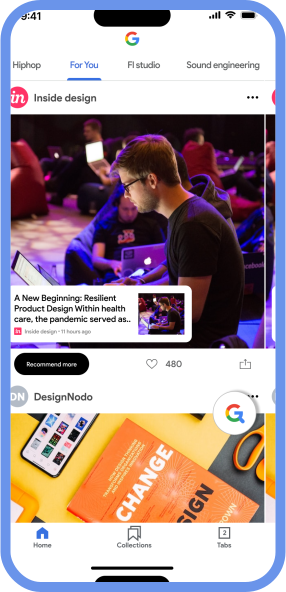
Firstly users can now input creator/influencer’s social handle to get similar related topics. This would enable users personalize the news feed to suit their interest and feel more like a social media app than a boring news app.

Firstly users can now input creator/influencer’s social handle to get similar related topics. This would enable users personalize the news feed to suit their interest and feel more like a social media app than a boring news app.

CONTENT

CONTENT

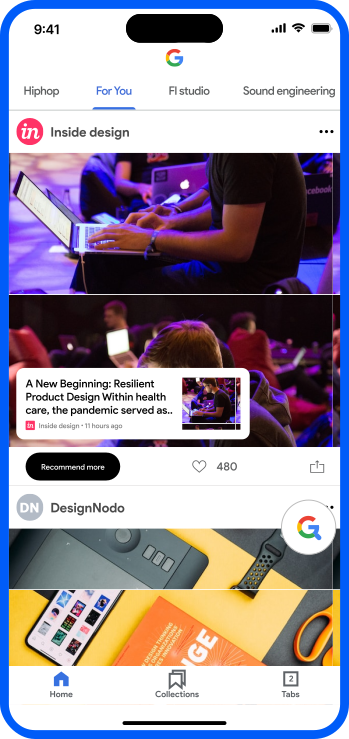
Once the user opens the app , the first screen you are faced with is a Brand new news-feed UI with a navigation bar above to switch between different news category.

Once the user opens the app , the first screen you are faced with is a Brand new news-feed UI with a navigation bar above to switch between different news category.

Now you might be wondering , where then is the Google search engine feature?, Here is how i designed that:

Now you might be wondering , where then is the Google search engine feature?, Here is how i designed that:

The search bar is now a hovering icon on the news feed UI, once you tap on this icon you are taking into an overlay above the news feed.

The search bar is now a hovering icon on the news feed UI, once you tap on this icon you are taking into an overlay above the news feed.

You now get a focus mode for your news feed and a separate focus mode for your search engine.

You now get a focus mode for your news feed and a separate focus mode for your search engine.

This new design gives more light to the news feed but at the same time not taking away the importance of the Google search engine.

This new design gives more light to the news feed but at the same time not taking away the importance of the Google search engine.

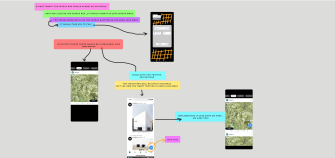
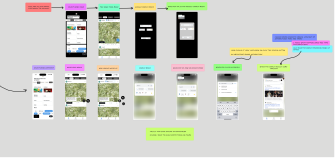
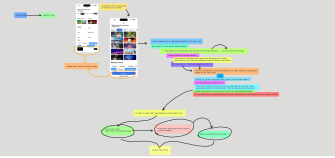
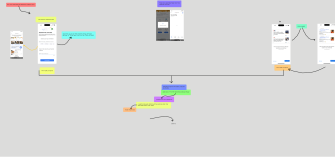
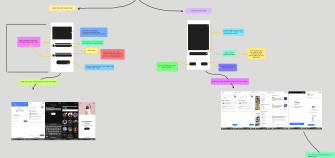
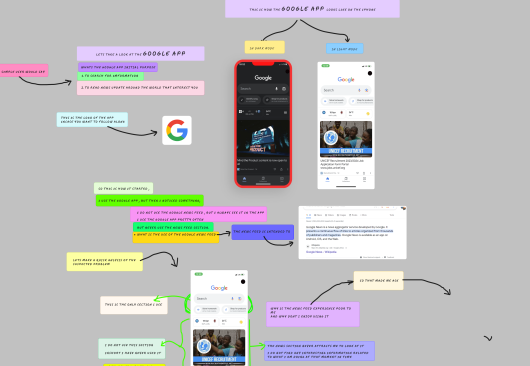
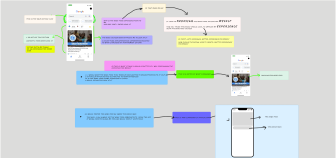
Note: images below are my research process and intense brain storming
MY PROCESS

MY PROCESS

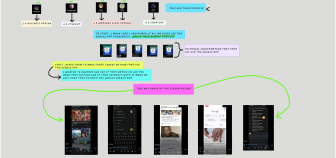
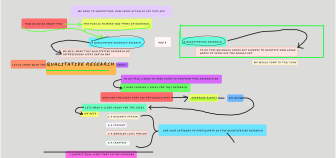
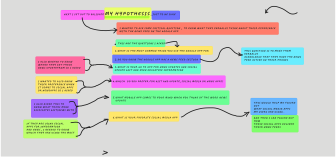
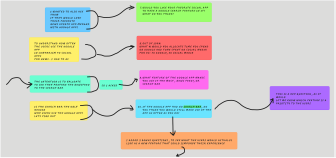
THIS IS MY PROCESS TO SOLVING THIS PROBLEM

THIS IS MY PROCESS TO SOLVING THIS PROBLEM

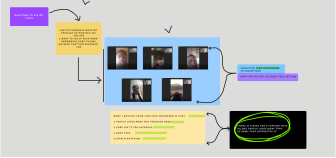
I conducted research to address a problem with the Google UI by formulating a hypothesis: repositioning each feature could offer a solution. To validate my suspicion, I invited users to participate in qualitative research. Through video observation, I closely examined how each user interacted with the Google app. Additionally, I distributed questionnaires to gather further insights. It became clear that Google News did not cater to their news interests.

I conducted research to address a problem with the Google UI by formulating a hypothesis: repositioning each feature could offer a solution. To validate my suspicion, I invited users to participate in qualitative research. Through video observation, I closely examined how each user interacted with the Google app. Additionally, I distributed questionnaires to gather further insights. It became clear that Google News did not cater to their news interests.

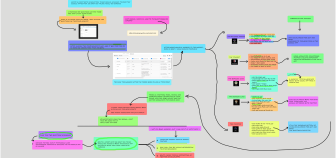
I investigated user preferences, discovered the pain point of an uninteresting news feed, and generated ideas. Quantitative research confirmed the preference for the search engine over the news feed. Guided by insights, I refined the search engine, designed popup news with a unique interaction concept, and visually represented the comprehensive approach on a canvas.

I investigated user preferences, discovered the pain point of an uninteresting news feed, and generated ideas. Quantitative research confirmed the preference for the search engine over the news feed. Guided by insights, I refined the search engine, designed popup news with a unique interaction concept, and visually represented the comprehensive approach on a canvas.

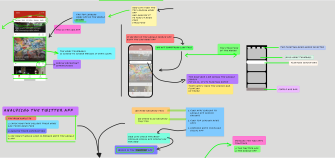
I designed the Google search engine on the news feed screen to maintain a balanced presence. I also considered displaying notifications in the news feed mode. To personalize the experience, I introduced a new design in the onboarding flow. Enhancing the user journey with additional screens, I incorporated feedback. Finally, I transformed my ideas into visual designs, mapping out the final concepts on a canvas.

I designed the Google search engine on the news feed screen to maintain a balanced presence. I also considered displaying notifications in the news feed mode. To personalize the experience, I introduced a new design in the onboarding flow. Enhancing the user journey with additional screens, I incorporated feedback. Finally, I transformed my ideas into visual designs, mapping out the final concepts on a canvas.

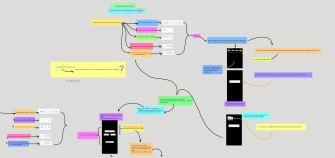
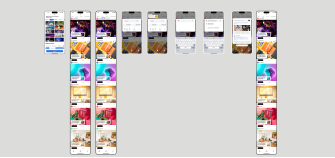
I finalized the design screens and identified flaws in the onboarding flow. To rectify this, I created a new flow and split the onboarding screen into "select" and "confirmation." Drawing inspiration from mood boards, I refined the rough sketches for a more appealing design. Following the Google design system, I incorporated font, text size, typography, and colors. Finally, I integrated all the screens into a prototype to showcase the intended interactions.

I finalized the design screens and identified flaws in the onboarding flow. To rectify this, I created a new flow and split the onboarding screen into "select" and "confirmation." Drawing inspiration from mood boards, I refined the rough sketches for a more appealing design. Following the Google design system, I incorporated font, text size, typography, and colors. Finally, I integrated all the screens into a prototype to showcase the intended interactions.

THE COMPARISON

THE COMPARISON

VISUALLY COMPARING THE OLD DESIGN TO THE NEW DESIGN

VISUALLY COMPARING THE OLD DESIGN TO THE NEW DESIGN

VISUALLY COMPARING THE OLD DESIGN TO THE NEW DESIGN

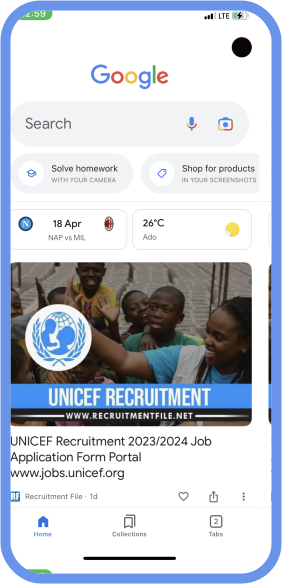
On the right is the old design while on the left is the new design.

On the right is the old design while on the left is the new design.

Old design

New design

LIVE PROTOTYPE

THE PROTOTYPE I DID IN FIGMA

Here you can interact with the final design or request access to the Figma and figjam file.

CONCLUSION

As I introduce the new personalized design for the news feed, I anticipate significant progress and positive outcomes for the mobile app. By extending the reach of this enhanced feature to a larger user base, I expect to observe the following advancements:

THIS WOULD BE THE PROGRESS

  1. The introduction of personalized content on the news feed is expected to drive an overall increase in screen-time. Users will be captivated by the tailored and relevant information presented, resulting in extended periods of app usage.

  1. As user engagement on the news feed grows, valuable opportunities arise to leverage this engagement for targeted advertising and collecting user data. This enables us to further enhance their experience by delivering more relevant ads while gaining valuable insights to improve overall engagement.

  1. The introduction of the new design creates an opportunity to independently study and improve both features of the app. With each result and user feedback, we can make iterative enhancements to refine and optimize the user experience. This iterative approach ensures that both the news feed and other app features continue to evolve and meet user expectations.